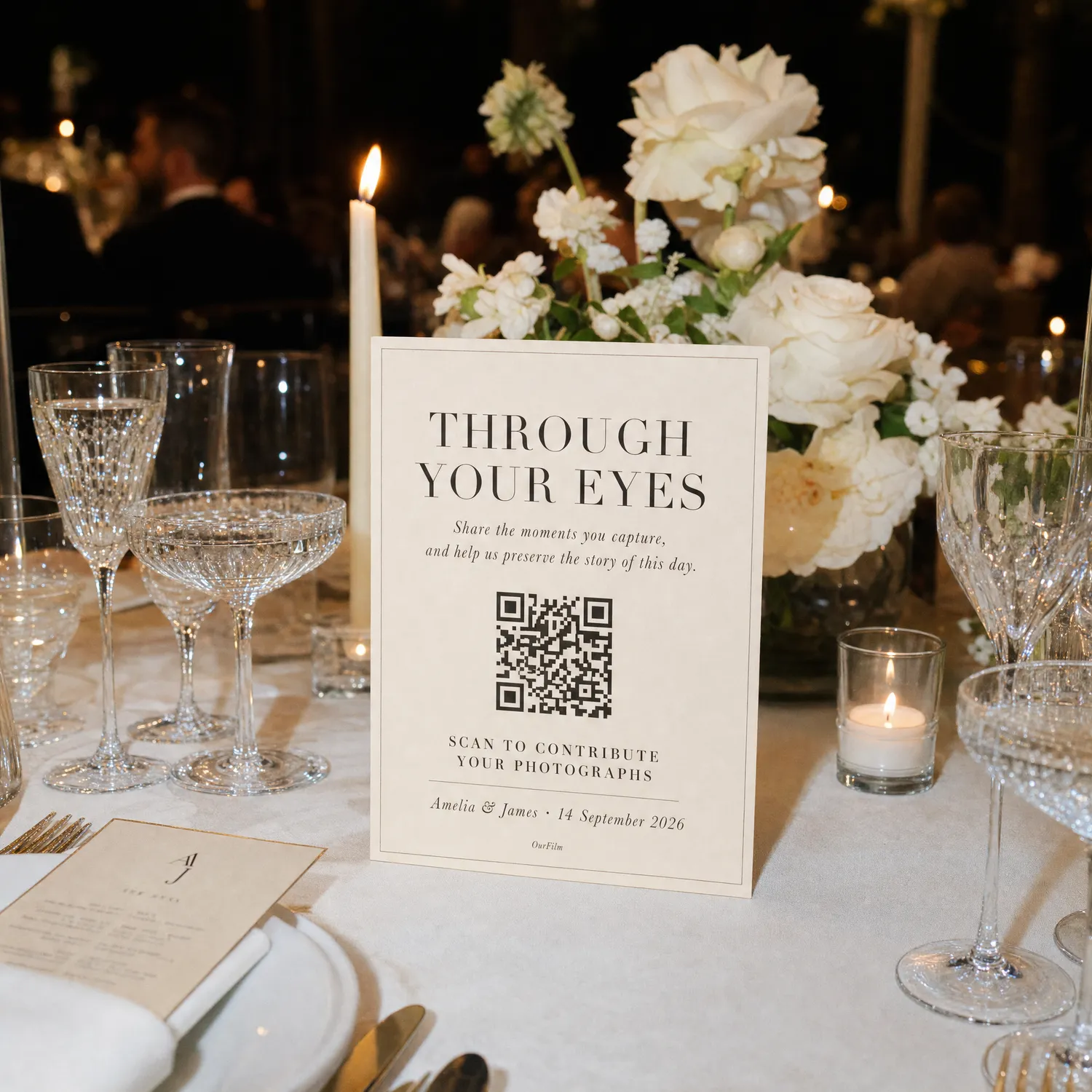
Where to Place Your Wedding Photo QR Code
Place wedding guest-camera QR codes where people naturally take photos: tables, the bar, guestbook, photo corner and dance floor, with tested signage.
OurFilmMagyarPlace the wedding photo QR code where guests have time, light and a reason to use it. Table cards, the bar, guestbook and photo corner usually outperform one large sign at the entrance.
Dinner tables
Tables give guests time to read, scan and understand the activity. Use one card per table or incorporate the code into a menu-sized insert. Keep it visible after plates and centrepieces arrive.
Bar and refreshment area
People pause at the bar and often have a phone in hand. Place the sign away from spills and reflective surfaces, with enough light for scanning.
Guestbook and gift table
This area already asks guests to contribute something. Pairing the camera with the guestbook connects written and visual memories, but avoid crowding a narrow queue.
Photo corner
Put the code beside the lighting or props so guests can enter the shared camera before posing. If the tool only accepts new captures, say so explicitly.
Dance-floor edge
A small late-evening sign can revive participation after dinner. Keep it far enough from movement and drinks that people can focus the camera safely.
Entrance signs are reminders, not the whole plan
Arrival is busy. Guests are greeting people, checking seating and putting away coats. Use the entrance for awareness, then repeat the same code at the moment of use.
Pair placement with a clear wedding photo QR-code message and one spoken announcement.
- Should every wedding table have a QR code?
- For seated receptions, one visible code per table is a reliable baseline, supported by a few signs in active areas.
- Is one entrance sign enough?
- Usually not. Guests are distracted on arrival and may not remember the code later when they begin taking photos.
- Can the same QR code be printed everywhere?
- Yes, and one event destination is easier to explain and manage than separate links for each table.
- How should outdoor QR signs be placed?
- Avoid glare, deep shadow, rain and moving surfaces. Test the actual printed sign at the expected distance.